Editing and deleting testimonials
You have full control to edit and delete any testimonial via the Merchant Center. Please be advised that as a Basic free user, you cannot delete a testimonial.
To edit or delete a testimonial take the following steps:
| Login to the Merchant Center |  |
| To edit a testimonial click on the pencil icon. You will be taken to the update testimonial screen
Make changes to the testimonial, then click “Save” to save the changes |
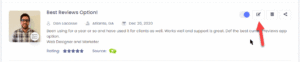 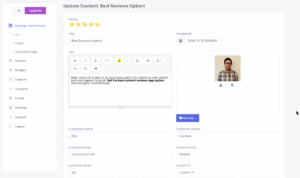
|
| To delete a testimonial click on the garbage can icon. | 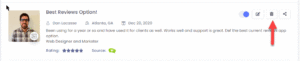 |
New to VocalReferences?
Create a free account and start collecting testimonials in minutes.